Authentication
All Trential APIs are protected with API key authentication. You include your key in every request via the x-api-key header.
Getting your API Key
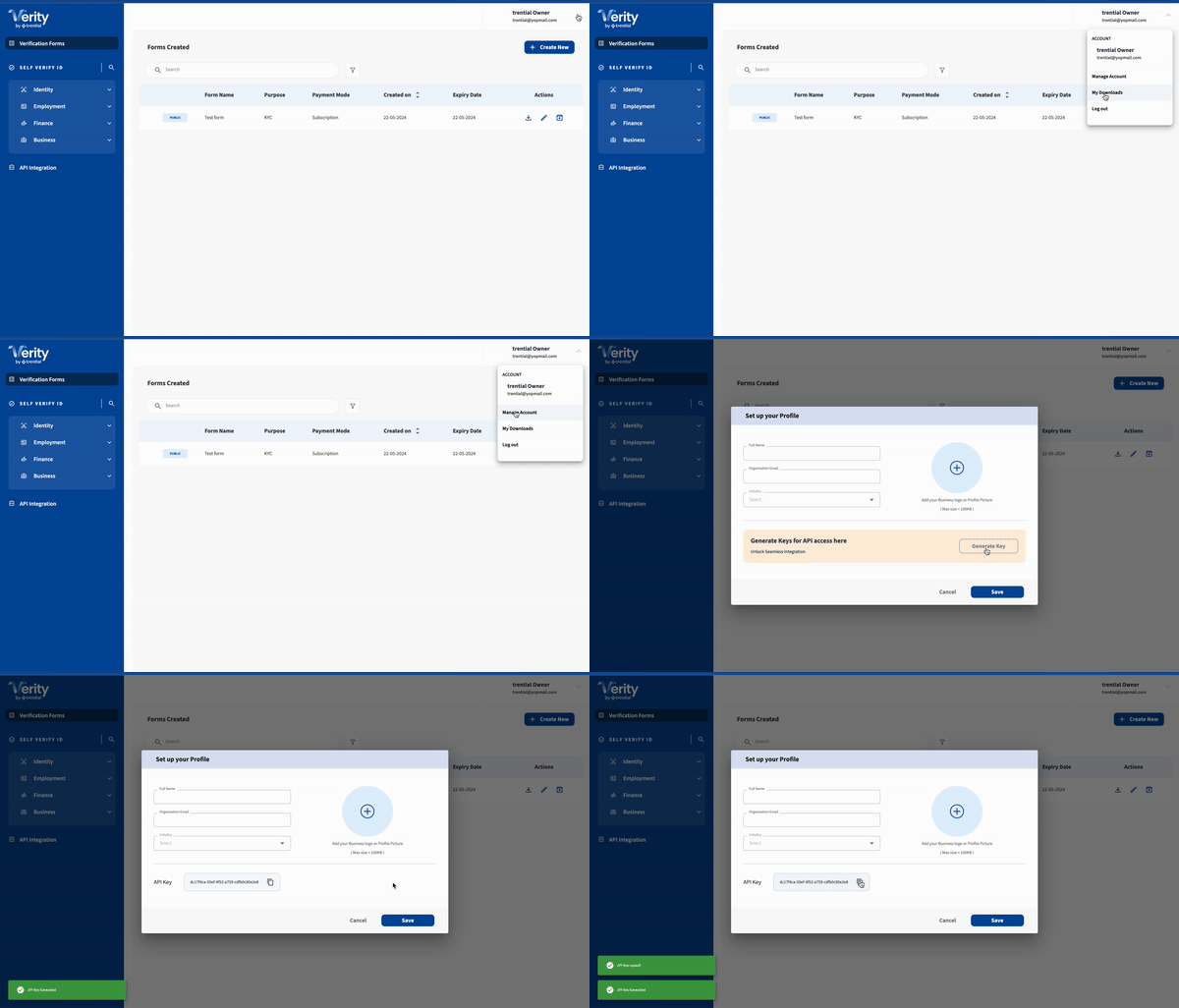
Generate an API key from the Verity portal, or request one directly from the Trential team.
Using your API Key
Pass the key in the x-api-key header on every request:
curl -X POST 'https://api.trential.dev/verification/api/1.0/verifications/pan' \
  -H 'Content-Type: application/json' \
  -H 'x-api-key: YOUR_API_KEY' \
  --data-raw '{
    "digilocker": false,
    "pan": "ABCDF2142E"
  }'
caution
Keep your API key secret. Do not expose it in client-side code, public repositories, or logs.
Environments
Use the appropriate base URL depending on the environment you are integrating with.
| Environment | Base URL |
|---|---|
| Staging | https://api.trential.dev |
| Production | https://api.trential.app |
Start with Staging for development and testing. Switch the base URL when moving to production — no other changes are required.